
A Visual Innovate product
The whole audit firm in one system
360 Audit brings together what usually sits across folders, spreadsheets and email: client files and their company records, projects and tasks, the team's time, finance, client requests, and the firm's know-how.

Why we built it
Firms that check other people's books line by line, and run their own on spreadsheets
An audit firm reviews its clients' accounts in detail, while its own files are spread across staff laptops. These are the situations we hear most:
Client files scattered
Commercial registration, capital, branches and contracts each live somewhere else.
Deadlines in a spreadsheet
Projects, tasks and due dates tracked in Excel files and messages.
Team time not recorded
Nobody knows how many hours each client took, so pricing and profitability are guesses.
Requests get lost
A client's request arrives by email or WhatsApp and nobody knows who owns it.
Know-how in people's heads
Templates and procedures leave the firm with the person who knows them.
One system
Every client, task and working hour in one place, with permissions for each role.
Inside the system
Screens from 360 Audit
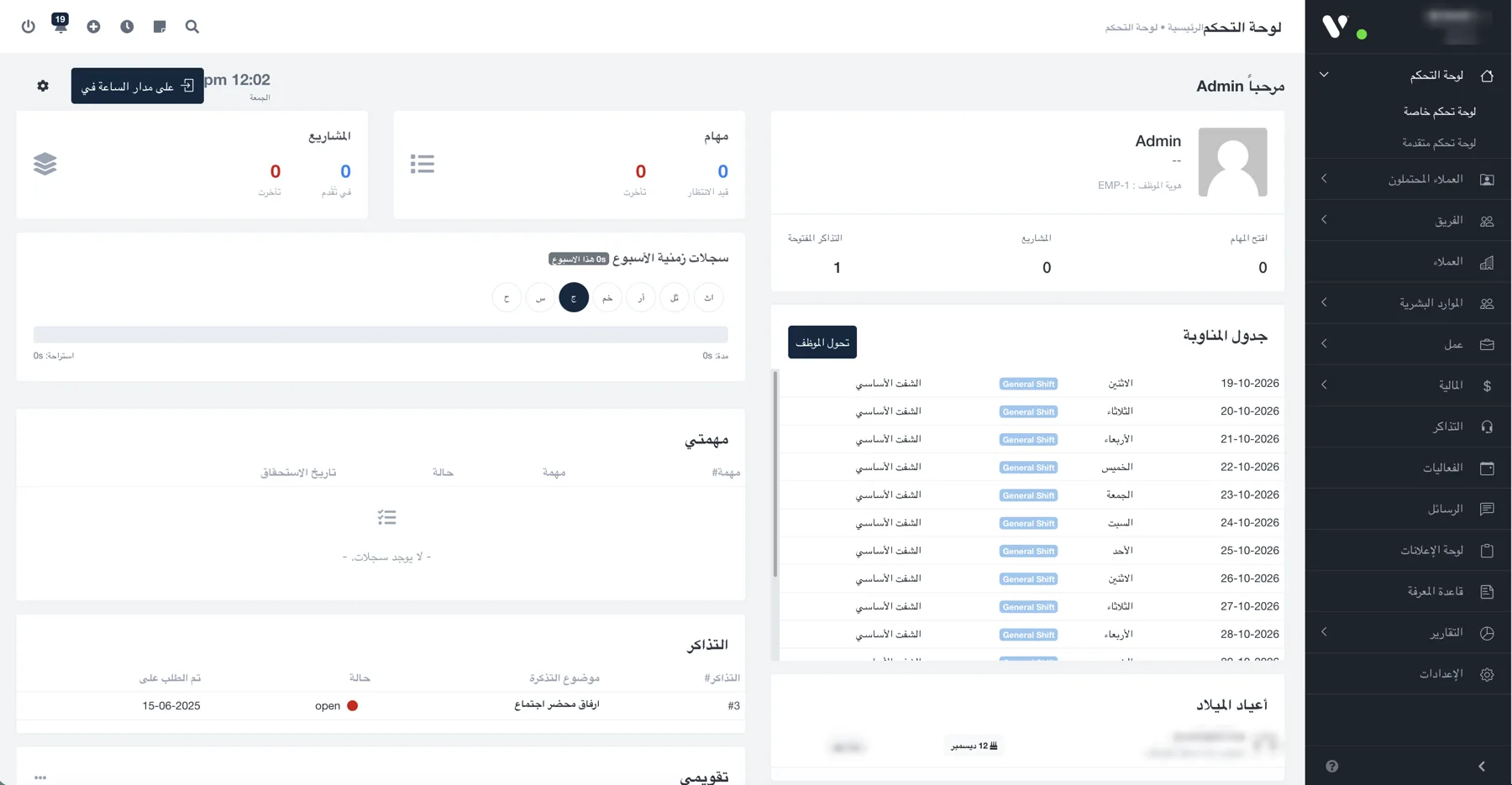
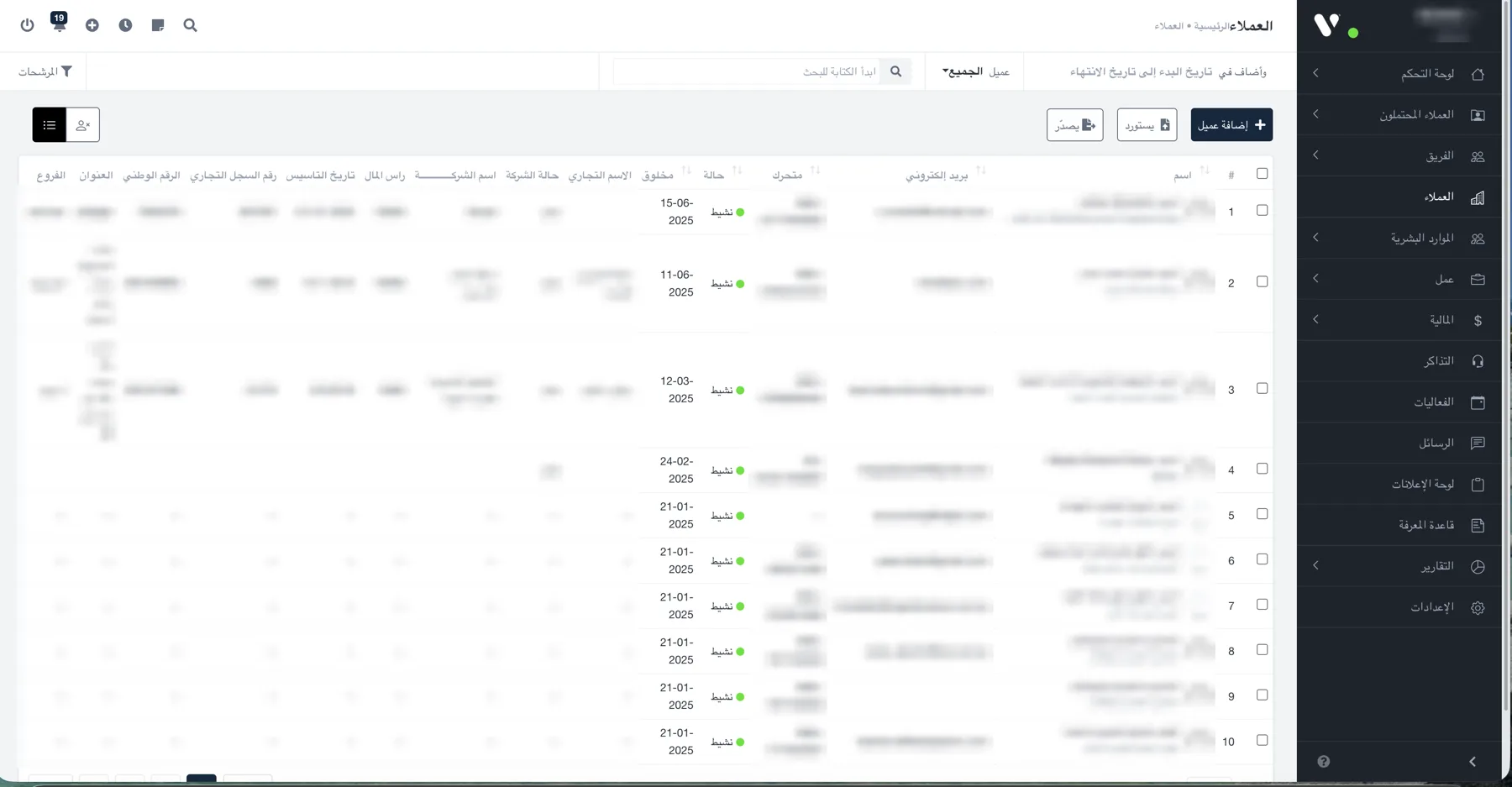
What it covers
From the first contact with a client to the month-end report
Leads
Follow a prospect from first contact until they become a client.
Clients and companies
Trade name, commercial registration, capital, national number and branches.
Projects and tasks
Each engagement with its tasks, owners and dates, and what is running late.
Timesheets and shifts
Clock in and breaks, plus a shift roster for each employee.
Team and HR
Staff records and roles in one place.
Finance
The money side of the firm's work, tied to clients and projects.
Tickets
Client requests with a number, a status and an owner.
Events, messages and notices
Internal team communication away from chat groups.
Knowledge base
Templates and procedures available to the whole team.
Reports and permissions
Reports for management, and permissions that set who sees what.
Audit · Analyze · Protect
Three words in the logo, three jobs in the firm
Get the work done
Projects, tasks and time per client on one track everyone can see.
See where the time goes
Dashboards and reports that answer which client takes the most time and which task is late.
Keep client files safe
Data in one place instead of scattered laptops, with permissions that control who reaches what.
Questions
Before you request a demo
Who is 360 Audit for?
Audit firms, and professional firms that work in a similar way, such as accounting and advisory practices: clients with company records, tasks per client, and a team whose time matters.
Does it need installing?
No. It runs in the browser with a full Arabic interface and English, and each user gets permissions based on their role.
Can we bring in our existing client data?
Yes. Client lists can be imported and exported, so the firm doesn't start from zero.
Can it be adapted to how our firm works?
Yes. We start by understanding how the firm works, set up sections, permissions and reports around it, and add what's missing in a clearly scoped customisation phase.
See 360 Audit with your firm's data
Tell us how many staff and clients you have and how you work today, and we'll arrange a demo.